🚀 ImgGen AI API is now live! Integrate powerful image processing tools into your apps. Check out the docs

AI Background Generator: Generate Realistic Backgrounds Online

Generate photo backgrounds with ImgGen's AI background replacer tool. Change, replace, or create new backgrounds with a few clicks — no design skills needed.

Remove & replace bgPrompt-to-backdropNo design skills100% Free
Background Generator
100% Free
Drag & drop your image
JPG, JPEG, PNG or WEBP · up to 10 MB
Supports JPG, JPEG, PNG, WEBP · Max 10 MB · Max 4000×4000 px
Examples

What is an AI Background Generator?

An AI background generator is a free online tool that automatically removes your existing photo background and replaces it with a new AI-created backdrop. Upload any image, describe your desired scene, and get studio-quality results in seconds — without Photoshop or design skills.

< 5 seconds
Average processing time
10 MB max
Max upload size (JPG, PNG, WEBP)
3 styles
Studio · Lifestyle · Gradient
100% free
No watermark · No sign-up

Who Should Use the AI Background Generator?

From online sellers to professional photographers, this free tool eliminates the need for expensive studio shoots — for any skill level.

E-commerce & Retail

Higher-Converting Product Photos

Professional product backgrounds increase click-through rates on Amazon, Shopify, and Etsy. Replace any cluttered surface with a clean white studio, gradient, or lifestyle scene in seconds — no photographer needed.

Photography & Portraits

Professional Retouching Without Photoshop

Offer clients instant background changes for headshots, corporate portraits, and lifestyle shoots. What used to take 30 minutes of masking now takes under 5 seconds.

Social Media & Content

On-Brand Visuals at Scale

Generate consistent, eye-catching backgrounds for Instagram posts, YouTube thumbnails, and TikTok content without a studio, a budget, or design skills.

Marketing & Advertising

Campaign Assets Without a Shoot

Produce campaign-ready visuals in seconds — no studio bookings, no retouching queues, no per-image cost. Ideal for teams running multiple campaigns simultaneously.

Real Estate

Cleaner Property Listing Photos

Remove distracting backgrounds from property and interior shots. Replace with neutral, appealing settings that help listings stand out and sell faster.

Job Seekers & Professionals

Professional Headshots in Seconds

Transform any casual photo into a LinkedIn-ready professional headshot with a clean studio background — no appointment, no photographer, no cost.

A Powerful Background Replacer You Need

Everything you need to remove, replace, and generate custom backdrops for studio-quality results — automatically.

AI Background Replacer

AI Background Replacer

Remove the existing background with one click and drop in a fresh, photorealistic backdrop — no manual masking required.
Prompt-to-Background

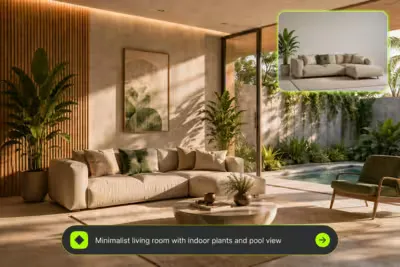
Prompt-to-Background

Describe your vision in words and AI generates a custom background instantly — studio sweeps, lifestyle scenes, and more.

Studio-Quality Results

Studio-Quality Results

Get professional product and portrait photos at a fraction of studio cost — perfect lighting, shadows, and detail every time.

Create Professional Product Photos Without Studio Costs

Create Professional Product Photos Without Studio Costs

Professional product photography used to mean expensive studios, equipment, and photographers. Now with ImgGen AI background generator, anyone can create stunning product photos at a fraction of the cost.

Upload your product image, choose your backdrop style, and get studio-quality results instantly. Transform your e-commerce visuals without expensive photoshoots or complex setups.

Generate Background

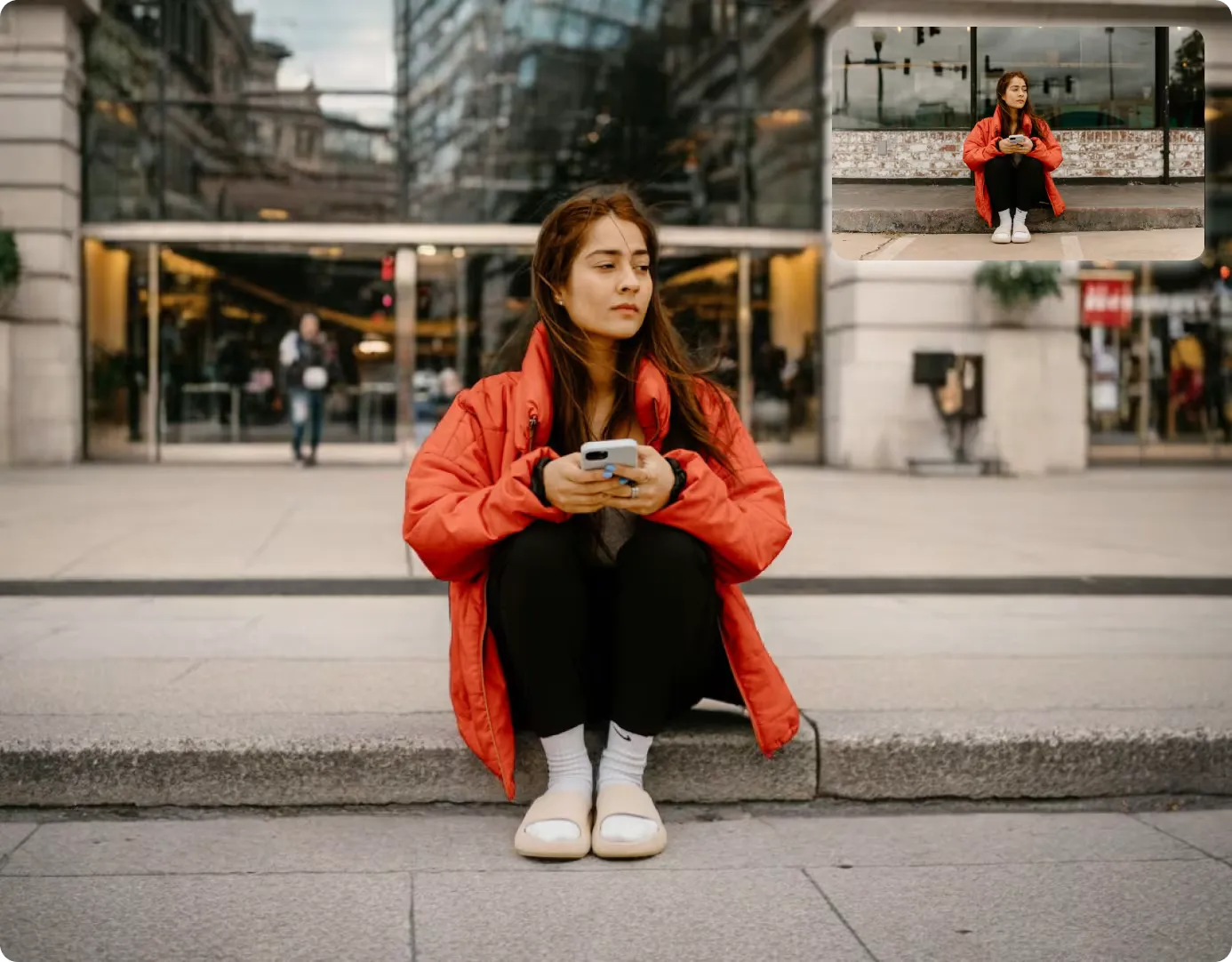
Replace Backgrounds with Custom Backdrops

Finding the perfect background used to take hours of searching and editing. Now with AI, everyone can create perfect backgrounds in seconds. Upload your image, describe your vision, and get a custom background instantly.

Transform product photos, portraits, and social media posts without any design skills. Simple, fast, and made for everyone.

Replace Background

Replace Background with Custom Backdrop
Prompt to Background

Describe Your Vision, Generate Any Backdrop

Type what you want and watch AI build it. From clean studio sweeps to lifestyle scenes and seasonal sets, generate custom backgrounds tailored to your product or portrait — in seconds, with no stock searching and no manual editing.

Generate Background

AI Background Generator vs. Manual Editing

See why AI-powered background replacement outperforms traditional photo editing tools.

FeatureImgGen AIPhotoshop / Manual
Time to complete< 5 seconds15–30 minutes
Design skills requiredNoneAdvanced
CostFree$55+/month
Prompt-to-backdrop✓ Yes✗ No
E-commerce product shots✓ Studio quality✓ Manual process
Batch processing✓ Pro tier✓ With actions
Output resolutionFull original resolutionFull resolution (manual export)
Learning curveZero — upload and clickSteep — months to master

How to Generate Background in 3 Easy Steps

Replace image background in just a few simple steps. Most results are ready in under 5 seconds.

1
step 01

Upload Your Image

Select and upload the photo you want to edit. Our AI tool accepts JPG, PNG, and WEBP formats.

2
step 02

Generate Background

Let AI generate custom backgrounds tailored to your needs. Remove existing backgrounds with one click.

3
step 03

Download and Share

Save your new image in high resolution. Perfect for product photos, social media, or personal use.

POST /v1/generate-background
Authorization: Bearer ••••
 
{
  "image_url": "product.jpg",
  "prompt": "marble studio"
}
 
→ 200 OK · result.png

Supercharge Your App with the Background Generator API

Integrate ImgGen's AI Background Generator API for automatic backdrop creation at scale. Remove, replace, and generate custom backgrounds for your users — ideal for e-commerce, marketplaces, and creative tools.

Get API Key

More AI Image Editing Tools

Discover more AI-powered tools to remove watermarks, unblur photos, upscale images, and more.

AI Image UpscalerUnblur ImageBackground RemoverAI Background GeneratorRemove WatermarkRemove Text From ImageAI Image EnhancerCompress JPEGChange Background ColorBlur BackgroundAI Shadow GeneratorCutout Product ImageColorize Image

Frequently Asked Questions

What is ImgGen AI background generator?
ImgGen's AI Background Generator is a free online tool that removes, replaces, and creates new photo backgrounds in a few clicks. Upload an image, choose a backdrop style or describe your vision, and get studio-quality results instantly — no design skills needed.
How do I change backgrounds with AI?
Upload your photo, and the AI automatically removes the existing background. Then pick a backdrop style or type a prompt describing the scene you want, click Generate, and download your new image in high resolution.
Is the AI background generator free?
Yes. You can generate and replace backgrounds online for free — with no watermarks and no quality loss. Just upload your image and start creating custom backdrops right away.
Can I use AI-generated backgrounds commercially?
Absolutely. The backgrounds you create are yours to use for product listings, e-commerce stores, marketing, and social media. It's ideal for sellers and creators who need professional visuals without studio costs.
What file formats does the background generator support?
You can upload JPG, JPEG, PNG, and WEBP files up to 10 MB. The tool processes your image and returns a high-resolution result with the new background applied.
How do I generate a custom background from a text prompt?
Type a description in the prompt bar — for example "clean white studio" or "sunset beach" — and click Generate. Our AI will create a matching backdrop and apply it to your image in seconds.
Does ImgGen offer a Background Generator API?
Yes. The ImgGen Background Generator API lets you integrate automatic backdrop creation into your own app. Send an image and a prompt, and receive a ready-to-use result — ideal for e-commerce, marketplaces, and creative tools.
What types of images give the best results with the AI background generator?
The AI background generator works best with photos that have a clear subject — product shots on any surface, portraits, and headshots all work well. Images with well-lit subjects and reasonable contrast between subject and background produce the most accurate removal. JPG, PNG, and WEBP files up to 10 MB are supported.
Can I use the AI background generator for portrait and headshot photos?
Yes. The AI background generator handles portrait and headshot photography as well as product photos. Upload your portrait, and the AI detects the subject automatically, removes the original background, and applies a new studio backdrop in under 5 seconds. It works for both professional and casual photos.
How do I get a plain white or transparent background using AI?
To get a white background, type "clean white studio" in the background prompt field and click Generate. The AI removes the existing background and applies a pure white studio backdrop. For transparent backgrounds (PNG), use the background removal mode and download your result as a PNG file — ideal for product listings and design assets.
Is there a limit on how many backgrounds I can generate for free?
The free plan lets you generate AI backgrounds with no watermark and no sign-up required. For high-volume processing — such as hundreds of product photos — the Pro tier includes bulk processing and API access. Visit the ImgGen pricing page for current usage limits and plan details.

Generate your first background — free

Remove, replace, and create custom backdrops with no quality loss and no watermark. Just upload, describe your vision, and let the AI do the rest.

Upload & Generate Now