Enhance Your Photos Online for Free with AI
Improve the quality of your images in one click. Our free AI photo enhancer automatically boosts detail, color, and clarity — turning ordinary pictures into stunning, professional-looking photos.
What is AI Photo Enhancement?
AI photo enhancement is the automatic improvement of an image's sharpness, color balance, and clarity using machine learning — without manual editing. The AI analyzes each photo individually and applies tailored corrections that look natural rather than processed, delivering professional-quality results in under 10 seconds.
Unlike a single generic filter, ImgGen's enhancement engine processes detail, color, and clarity simultaneously — so portraits, landscapes, product photos, and old scanned images all get the specific corrections they need.
Everything You Need to Enhance Photos
Powered by AI that understands your image — automatically improving detail, color, and clarity in one step.
Detail Boost
AI sharpens fine textures and recovers lost detail — making every edge, strand, and surface crisply defined.
Color & Clarity
Automatically balances white balance, corrects color casts, and lifts clarity so your photos look naturally vibrant.
One-Click Results
No sliders, no skills required. Upload your photo and get a professional-quality enhanced result in seconds.
Bring out every detail in your photos
Dull, flat images don't have to stay that way. ImgGen's AI photo enhancer sharpens fine texture and edge detail, corrects color balance, and lifts overall clarity — all in a single pass that takes under 10 seconds.
The enhancement engine processes detail, color, and clarity simultaneously rather than applying a single generic filter — so results look naturally polished, not over-processed. Works equally well on portraits, landscapes, product photos, and social media images.
Unlike desktop tools that require manual adjustment of dozens of sliders, ImgGen reads your specific image and applies the right corrections automatically — no editing skills needed.
Enhance a Photo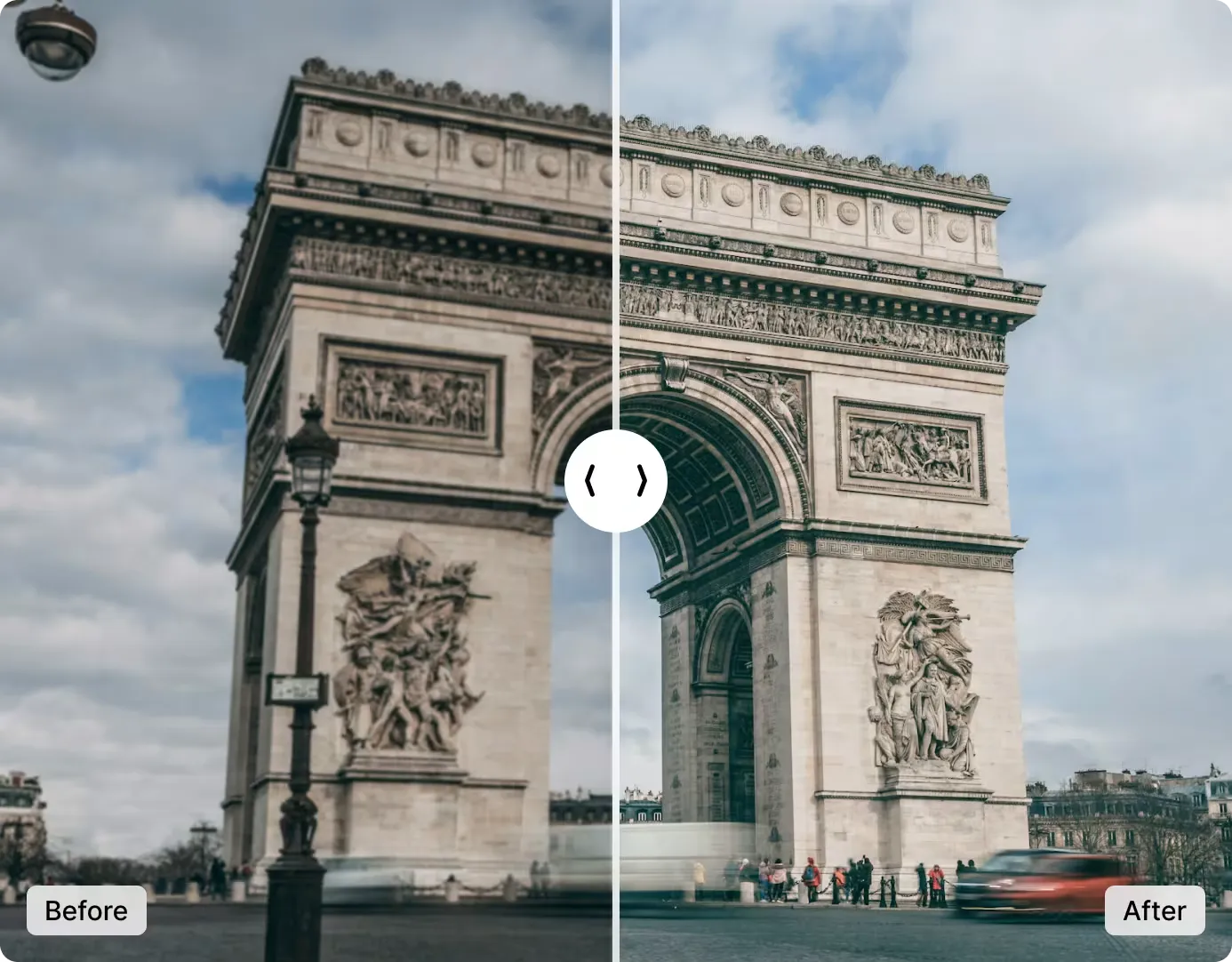
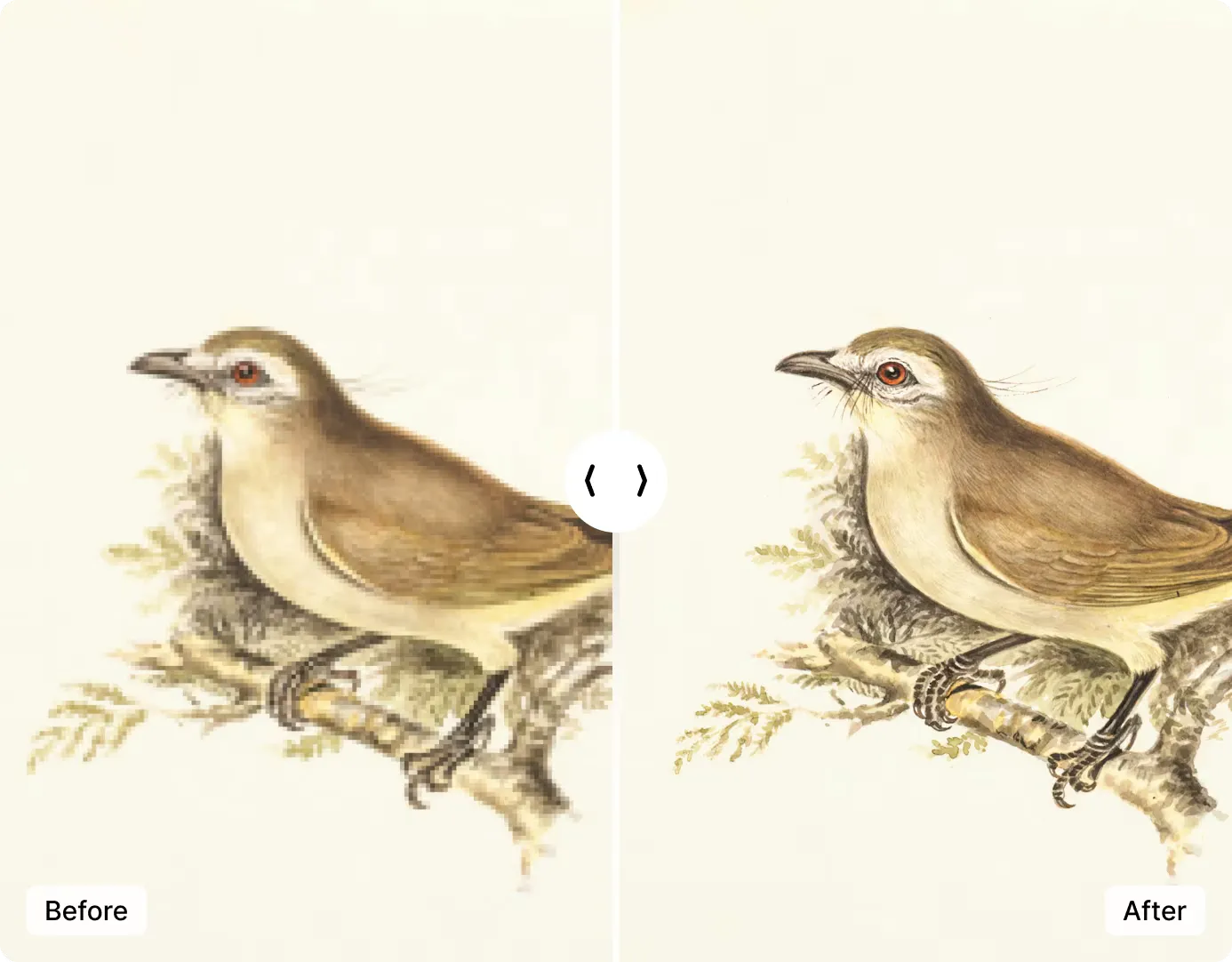
Professional results in one click
No Lightroom presets or Photoshop skills required. Upload your photo and the AI enhances detail, color, and clarity simultaneously in a single automatic step. The entire process takes under 10 seconds.
The AI analyzes your specific image and applies targeted corrections — sharpening fine textures, balancing color, and improving overall clarity — so results look naturally polished, not filtered.
Results are delivered in full resolution with no watermark — ready to share, print, or use in any design without additional editing.
Enhance Photo NowImgGen AI Photo Enhancer vs. the alternatives
See how ImgGen stacks up against the most popular photo enhancement tools on speed, cost, and ease of use.
| Feature | ImgGen AI | Adobe Lightroom | Canva AI | Fotor |
|---|---|---|---|---|
| Price | Free (no credit card) | $9.99–$54.99/mo | Free / $15/mo | Free / $8.99/mo |
| Enhancement time | Under 10 seconds | 5–15 min manual | 5–30 seconds | 5–20 seconds |
| No watermark (free) | ✓ | ✓ (but paid) | ✗ (free tier) | ✗ (free tier) |
| No sign-up required | ✓ | ✗ | ✗ | ✗ |
| Fully automatic enhancement | ✓ | Manual presets required | Limited | Limited |
| API access | ✓ | ✗ | ✗ | ✗ |
| Works in browser (no install) | ✓ | ✗ (desktop app) | ✓ | ✓ |
| Max file size | 10 MB | Unlimited | 25 MB | 50 MB |
Prices and features as of June 2026. Subject to change.
Your photos are private and secure
ImgGen AI does not store, share, or train on your uploaded photos. All transfers are HTTPS-encrypted.
Photo Enhancer API for developers
Integrate ImgGen's Photo Enhancer API into any photo app, e-commerce pipeline, or creative tool. Send an image URL and get back a fully enhanced PNG in one REST call.
The API handles detail sharpening, color correction, and clarity enhancement server-side — no CV library required in your stack. Suitable for batch processing thousands of product photos or real-time enhancement in mobile apps.
Get API KeyHow to enhance a photo online — 3 steps
From upload to download in under a minute — no account, no software to install.
Upload your image
Drop your photo or click to upload. Accepts JPG, JPEG, PNG, and WEBP files up to 10 MB — portraits, landscapes, and product shots all work.
AI enhances automatically
The AI analyzes your image and automatically sharpens detail, corrects color, and boosts clarity in one step — no settings or manual adjustments needed.
Download your enhanced photo
Get your improved image in full resolution — sharper detail, richer color, better clarity. No watermark, no sign-up, ready to share or print.
Enhance any type of photo — free
ImgGen's AI photo enhancer works across every photo type, from portraits and products to landscapes and old family pictures.
Enhance portrait photos
AI sharpens skin detail, eyes, and hair without adding harsh texture. Ideal for headshots, selfies, and people photography.
Enhance portraitEnhance product photos online
AI boosts color and contrast on product images — making items look sharper, richer, and more click-worthy on any e-commerce listing.
Enhance product photoEnhance landscape photos
AI boosts color saturation and clarity on outdoor shots — bringing out sky detail, foliage texture, and natural light that flat smartphone photos often miss.
Enhance landscapeEnhance photos for Instagram
AI lifts vibrancy and sharpens clarity on any photo so it stands out in a feed. Results download in full resolution, ready to post without further editing.
Enhance for socialEnhance old or faded photos
Restore detail and color to old, faded, or scanned prints. The AI recovers lost texture and freshens color without over-processing — a quick alternative to manual restoration.
Enhance old photoEnhance food photography
AI saturates warm tones and sharpens texture so food photos look appetizing — perfect for menus, recipe blogs, and delivery app listings.
Enhance food photoRelated AI image tools
Other free tools that pair well with photo enhancement.