Brighten Dark Photos Online — Free AI Photo Brightener
Lighten underexposed images in under 10 seconds. Upload your photo and the AI automatically enhances exposure, contrast, and color with one click. No sign-up, no watermark, full resolution.
What Is an AI Image Brightener?
Last updated: June 2026An AI image brightener is a tool that uses machine learning to automatically enhance the exposure, contrast, and color of dark or underexposed photos. Unlike simple brightness sliders, it analyzes the image content to lift shadows and midtones while protecting highlights — revealing hidden details without blowing out bright areas.
Traditional photo editing requires manual curves, levels, or exposure adjustments — skills most users don't have. ImgGen AI Photo Brightener automates the entire process: upload any dark photo, choose your brightness level, and download a full-resolution result in seconds. No Photoshop, no Lightroom, no editing experience needed.
40%+
< 10s
100%
How to Make a Photo Brighter Online — Quick Answer
To make a photo brighter online for free: go to imggen.ai/tools/photo-brightener, upload your JPG, PNG, or WEBP image (up to 10 MB), and download the enhanced result. No account required. The AI automatically lifts exposure, contrast, and color in under 10 seconds.
Perfect Brightness for Every Photo
From vacation memories to product shots, bring every dark image to life in one click.
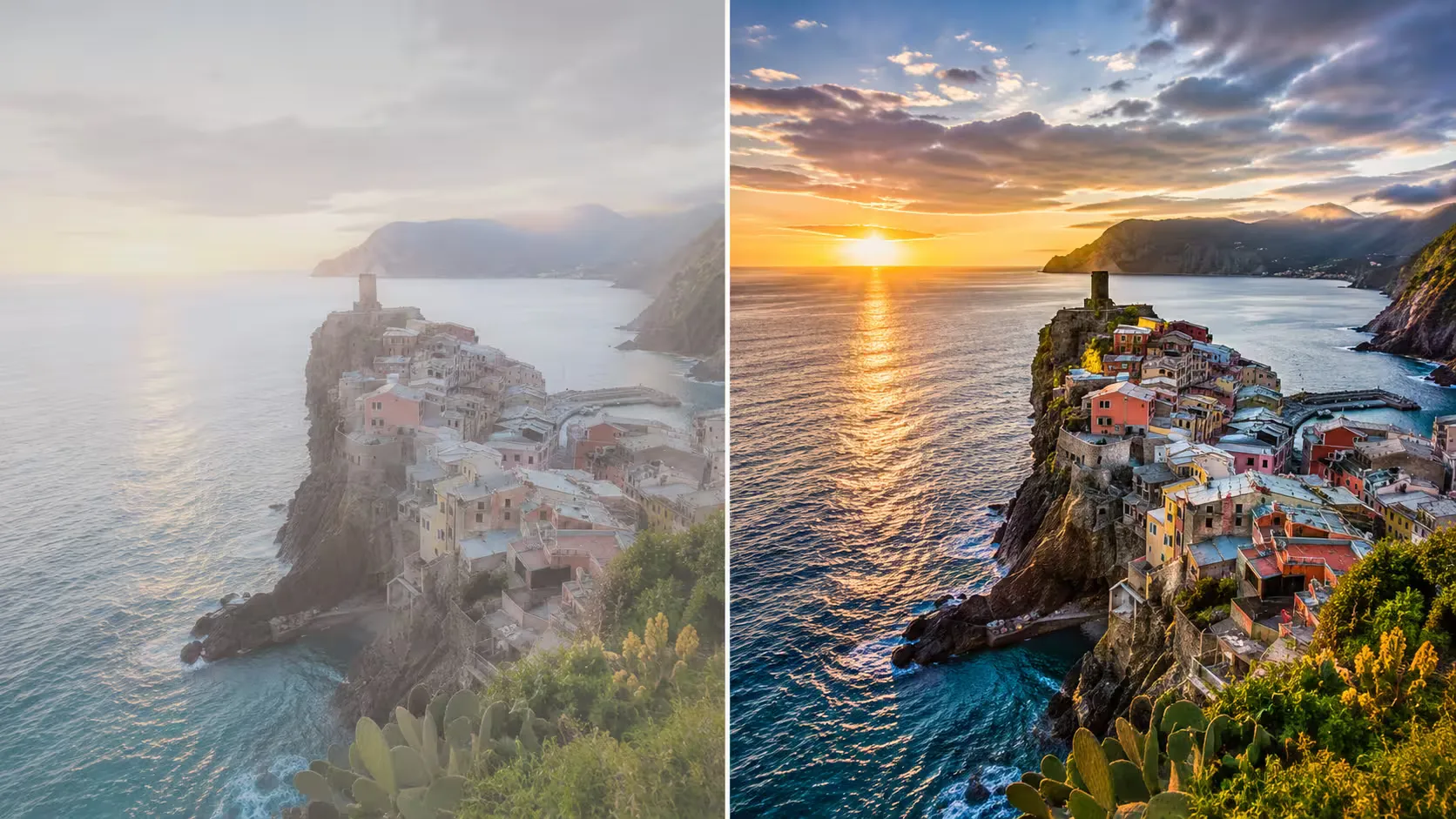
Reveal Hidden Details
Poor lighting doesn't have to ruin your photos. AI restores clarity to dark images, lifting shadows to expose fine textures and details.
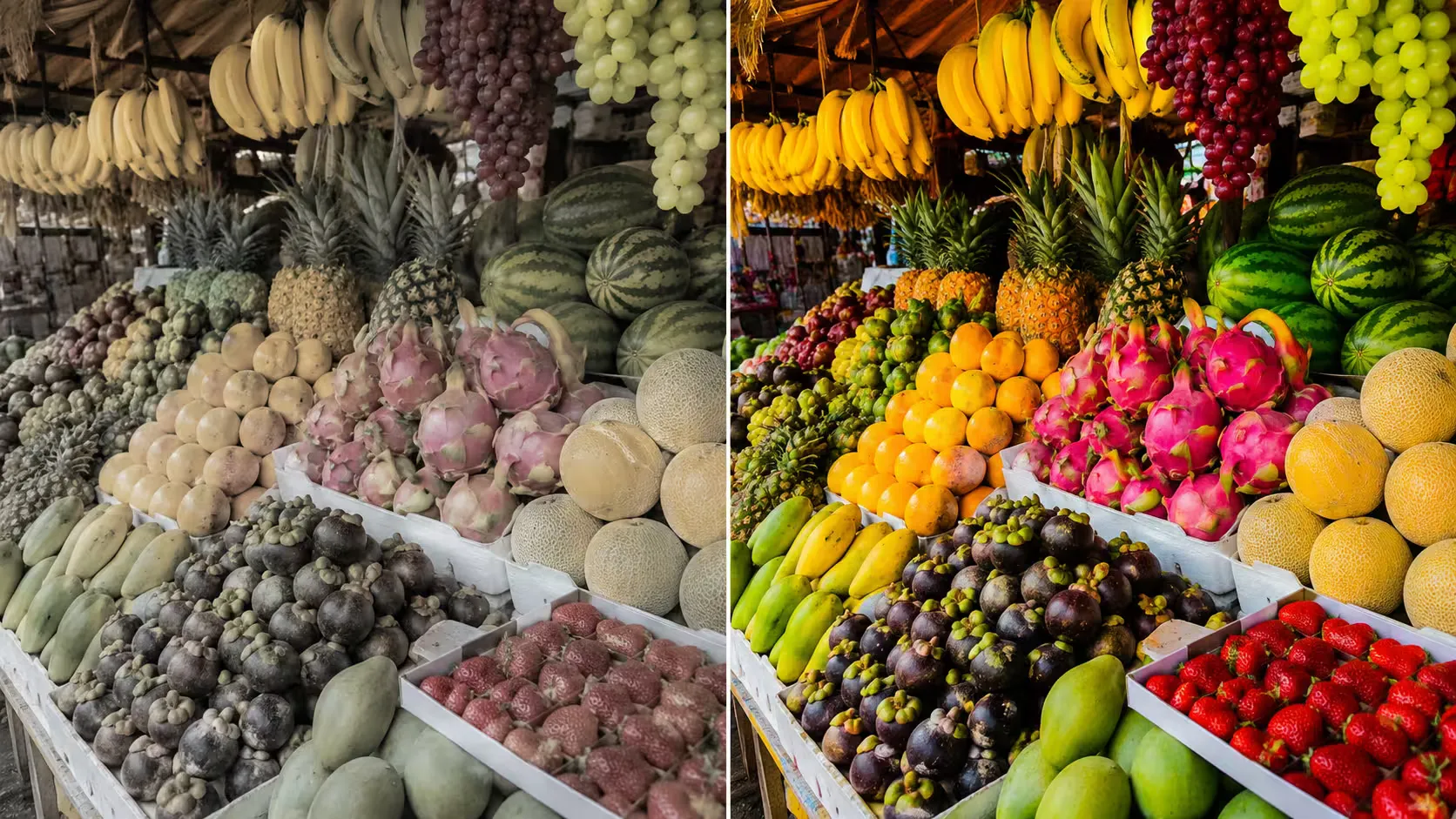
Boost Color Saturation
Dull, washed-out colors come back to life. The brightener boosts vibrancy while keeping skin tones natural — no garish oversaturation.
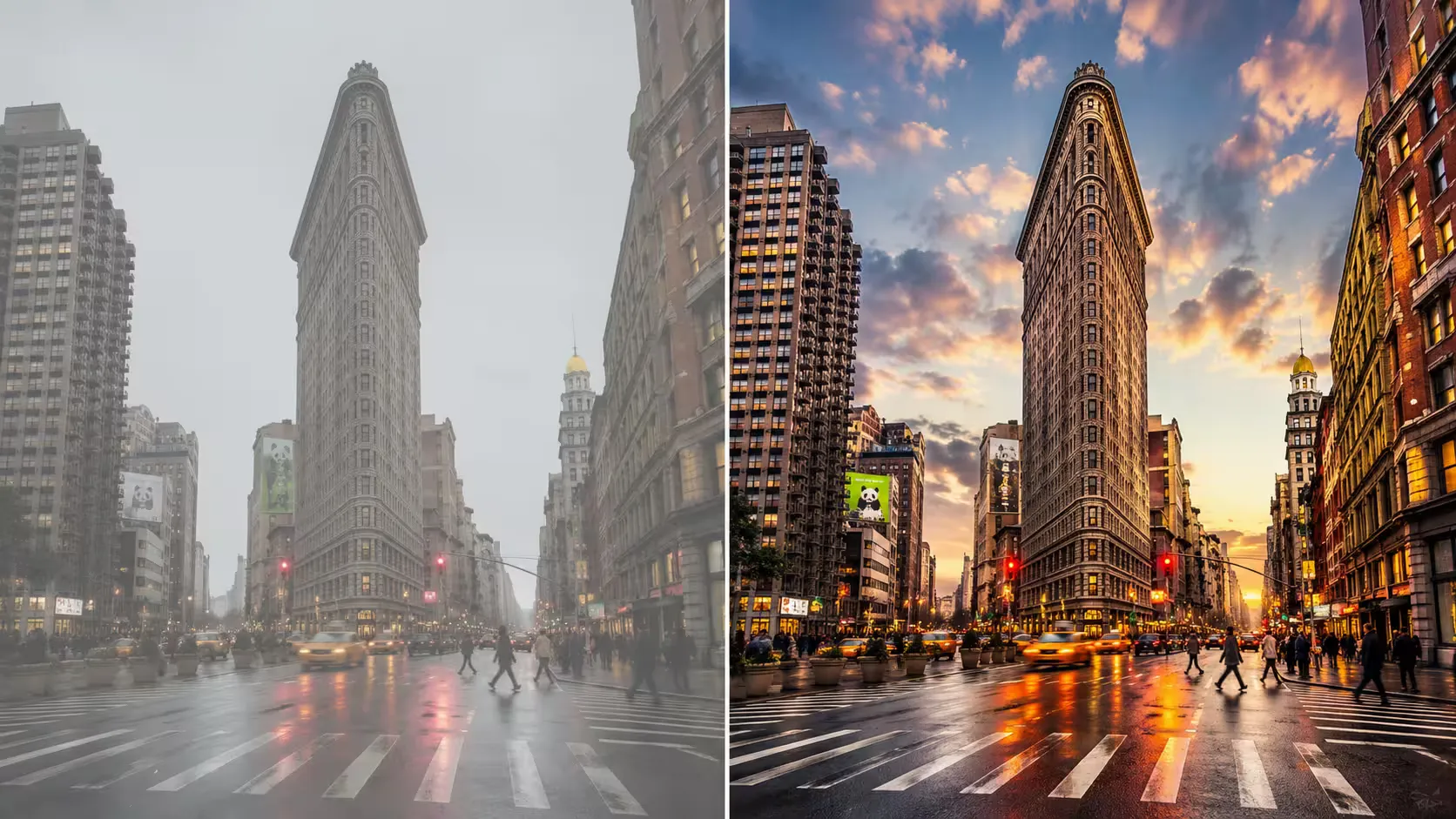
Smart Contrast Fix
Balance highlights and shadows automatically. AI judges the ideal contrast level per image — no manual curves or histograms required.
Brighten your photo to reveal hidden details easily
Poor lighting doesn't have to ruin your favorite photos. Our AI-powered image brightener restores clarity to dark images, bringing out the details you care about.
Whether it's a vacation memory or a scanned document, the tool adjusts brightness, contrast, and colors to make your photos vibrant and clear.
Brighten an Image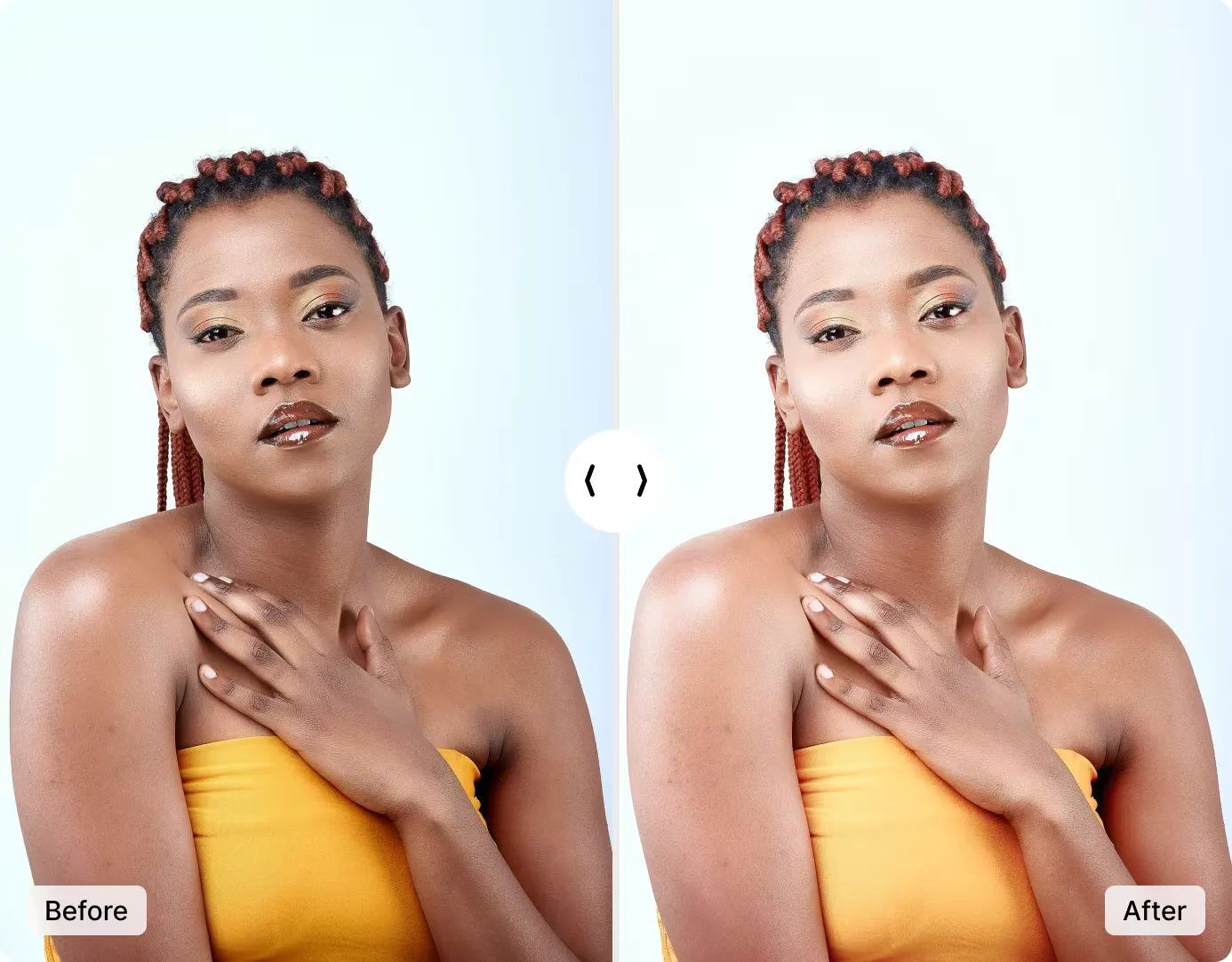
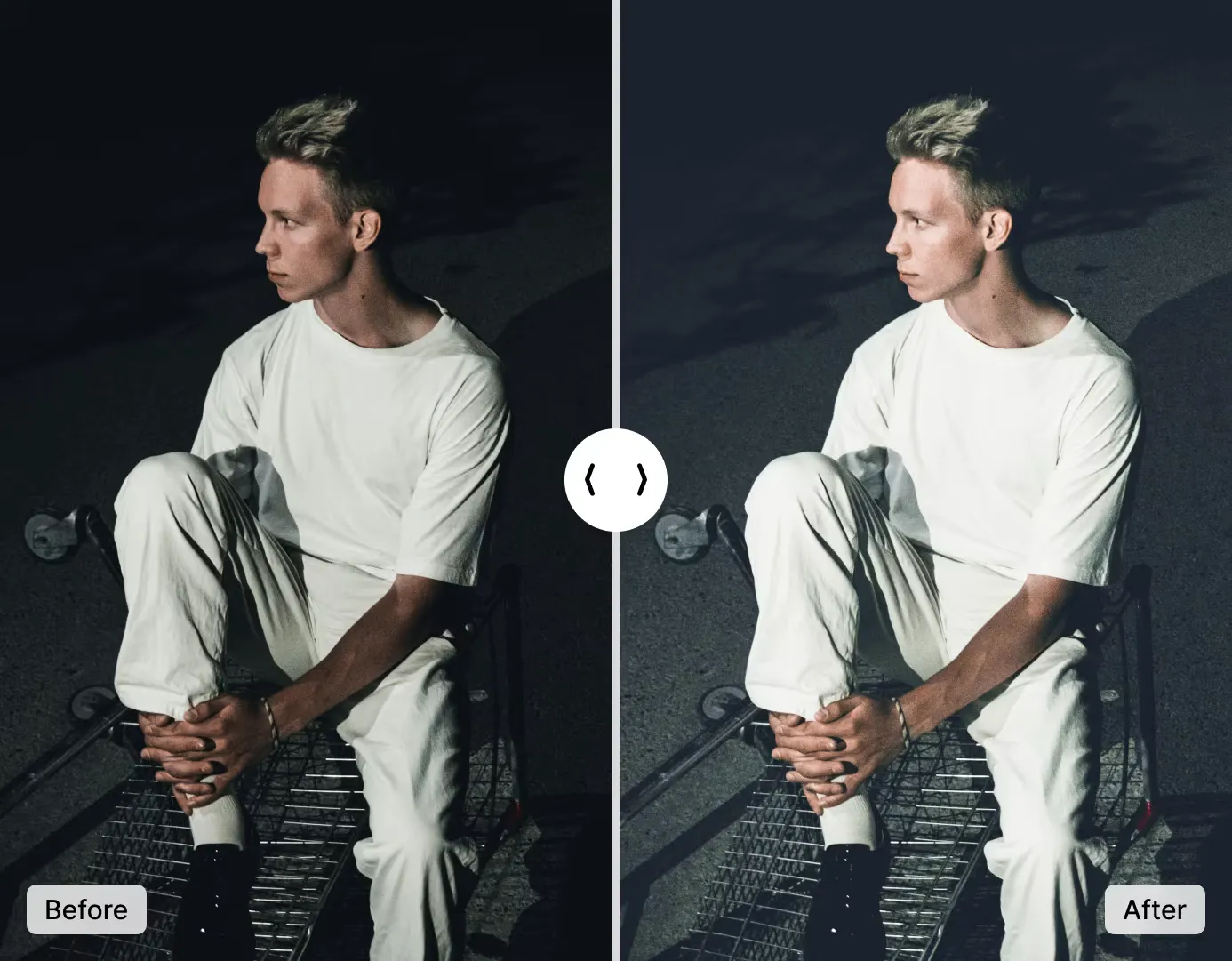
Make Your Photos Brighter and Better
Dark pictures can look sad and boring. Our easy-to-use tool makes your pictures brighter and clearer in seconds.
With just one click, you can turn dull images into eye-catching ones. Make your photos look great and get more likes from friends and followers.
Brighten Image NowAI Brightener vs. Photoshop: Which Should You Use?
AI brightening and manual Lightroom/Photoshop editing serve different needs. Here is a direct comparison.
| Feature | ImgGen AI Brightener | Photoshop / Lightroom (Manual) |
|---|---|---|
| Time to brighten | < 10 seconds | 5–20 minutes (curves, levels, masks) |
| Skill required | None — upload and click | Intermediate to advanced |
| Cost | Free (no account needed) | $9.99–$20.99/month Adobe subscription |
| Brightness control | Fully automatic — AI decides | Unlimited — full manual control |
| Highlight protection | Automatic tone-mapping | Manual (requires careful masking) |
| Batch processing | Yes (via API) | Scripting only (Actions / presets) |
| Works on mobile | Yes (browser-based) | Limited (Lightroom Mobile) |
| Best for | Quick edits, social media, e-commerce at scale | Professional photographers needing pixel-level control |
For most users — social media creators, e-commerce sellers, and casual photographers — AI brightening is the faster, cheaper, and more practical choice. Photoshop and Lightroom remain better for professional photographers who need precise, localized adjustments or complex multi-layer edits.
Photo Brightener API for Developers
Integrate ImgGen's Brightener API into any product pipeline, mobile app, or e-commerce platform. Send an image URL and a mode; get back a high-quality brightened PNG in one REST call.
The API handles all processing server-side — no CV library or OpenCV required. Suitable for bulk photo processing, automated listing pipelines, or real-time brightness correction in mobile apps.
Get API KeyHow to Make a Photo Brighter
Lighten a photo online in just three simple steps.
Upload Your Image
Drop your photo or click to upload. Supports JPG, JPEG, PNG, and WEBP up to 10 MB.
Let AI Brighten Your Image
The AI automatically analyzes and enhances your photo's brightness, contrast, and color — no settings to adjust.
Save Your Brightened Photo
Download your enhanced image in full resolution. No watermark, no sign-up — it's that simple!
Is the AI Photo Brightener Free?
Yes — ImgGen AI Photo Brightener is completely free to use. Upload any JPG, PNG, or WEBP image up to 10 MB, and download the result with no watermark and no account required. There are no hidden fees for the core brightening feature.
Pro and Enterprise plans are available for users who need unlimited daily generations, batch processing via API, and priority queue access. The free tier is unrestricted for individual use — no credit card required to start.
Who Uses the AI Photo Brightener?
From casual photographers to e-commerce sellers, here is how people use ImgGen's brightener every day.
Photographers
Fix underexposed shots from indoor events, weddings, or low-light venues without re-shooting. Rescue JPEGs straight from the camera in seconds.
E-commerce Sellers
Make product photos look professional on Amazon, Etsy, and Shopify. Brighter images improve click-through rates and reduce bounce from listings.
Real Estate Agents
Brighten dark interior photos to make rooms feel larger and more inviting. First impressions on listing sites drive showing requests.
Social Media Creators
Turn poorly lit selfies and Stories into eye-catching content. The AI boosts brightness and color vibrancy for a punchy look ideal for Instagram and TikTok.
Developers & Teams
Integrate the Photo Brightener API into mobile apps, CMS platforms, or automated listing pipelines. No CV library required — one REST call does it all.
Students & Hobbyists
Restore scanned documents, brighten old family photos, or fix any dark image — completely free, no account needed, no watermark.
Common Photo Brightening Use Cases
Whatever the source — a smartphone, DSLR, drone, or scanner — ImgGen's AI adapts its tone-mapping to the specific exposure profile of each image. You get targeted shadow lift without the washed-out look that comes from applying a uniform brightness filter.
More Free AI Image Tools
Discover more free AI-powered tools to enhance, restore, and transform your photos.